
News
Follow the week's official economic releases, read publications from the agencies behind them, and see each release as a flag on your charts.
News collects official economic releases and publications, each with a link to the agency that published it. It has two tabs: Calendar for scheduled releases and their values, and News for publications. The same releases can also show as flags on your charts.
Releases cover eight currencies: USD, EUR, GBP, CAD, AUD, NZD, JPY and CHF. They come from official statistics agencies and central banks, such as the Bureau of Labor Statistics, the European Central Bank, the Office for National Statistics and the Bank of Canada. Sources and coverage, at the bottom of the Calendar tab, lists every one. The values are the ones each agency published. There’s no forecast column.
For now, only US releases carry values. Releases for the other seven currencies show when they’re due and link to the source, and their Actual and Previous stay empty.
Turn on News
News is off until you turn it on.
-
Open Settings and go to Navigation.
-
Find News and turn on its switch. News appears in your sidebar straight away.


If the switch is marked Requires access, your role doesn’t include News. Ask an AO administrator.
The calendar
Calendar opens first. At the top:
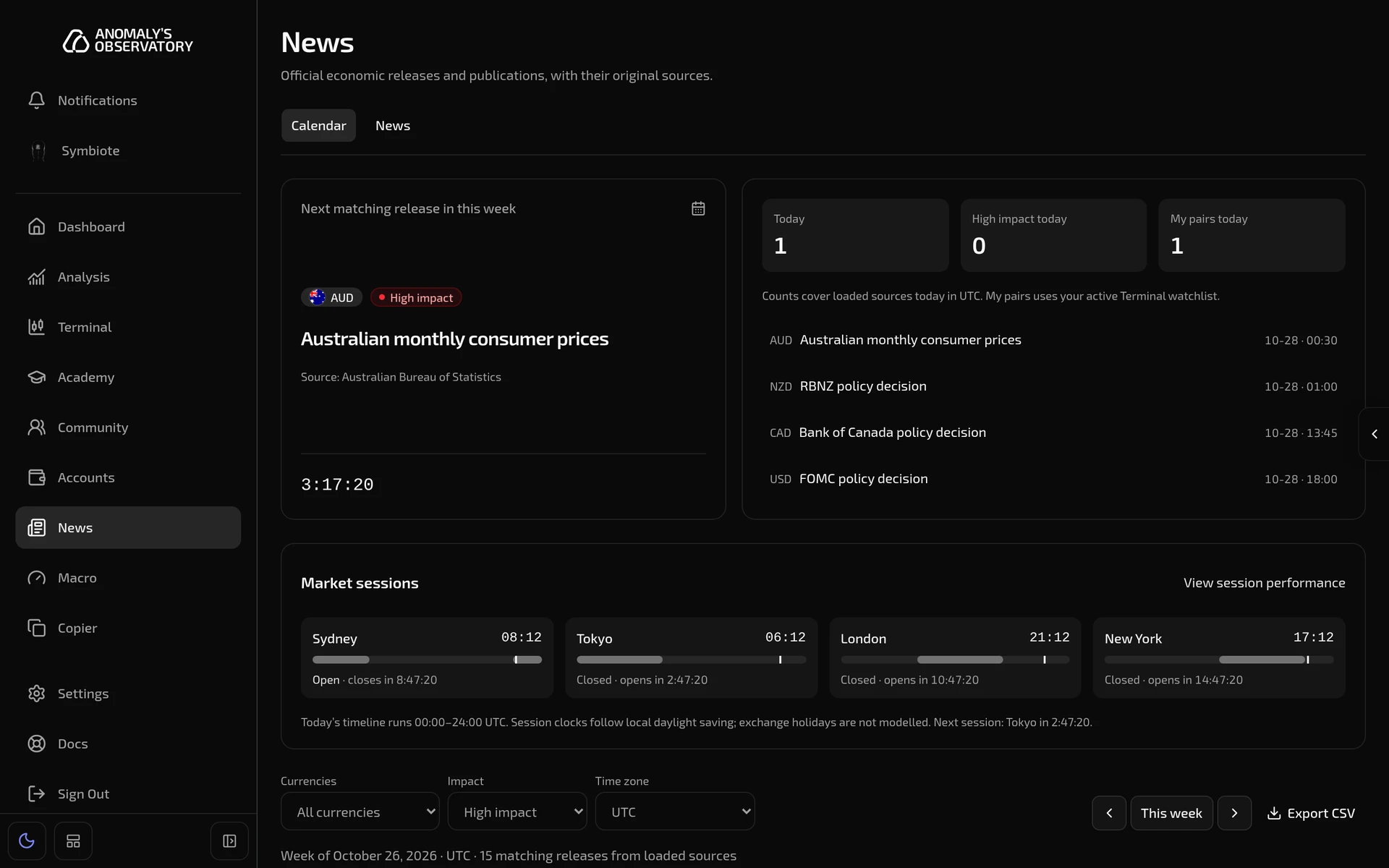
- Next matching release in this week names the next release that matches your filters, its agency, and a countdown. If other releases are due at the same moment, a line says how many. Click the name to open the release.
- Today, High impact today and My pairs today count today’s releases. My pairs means currencies in your active Terminal watchlist. The counts show a dash when you’re looking at another week.
- Under the counts, the next four releases. Once a release’s time has passed, it shows Waiting for the agency’s release until the value arrives.
- Market sessions shows Sydney, Tokyo, London and New York with their local time, a bar for today’s trading hours and when each opens or closes. View session performance opens your results by session in Analysis.
Filter the week
Below the sessions, the week’s releases are grouped by day. Each row shows the Time, Currency, Impact (high, medium or low), the Release and the value it reports, Actual, Previous and a link to the Source.
- Currencies: All currencies, My pairs (from your active watchlist), or Custom currencies, which adds a button for each currency to pick from.
- Impact: All impact, High impact (the default), Medium impact or Low impact.
- Time zone: UTC (the default), America/New York, Europe/London, Asia/Tokyo or Australia/Sydney. Times and days follow it.
- The arrows step to the previous or next week, and This week comes back.
- Export CSV downloads the releases on screen, once the week has loaded.
Your filters are saved in this browser.
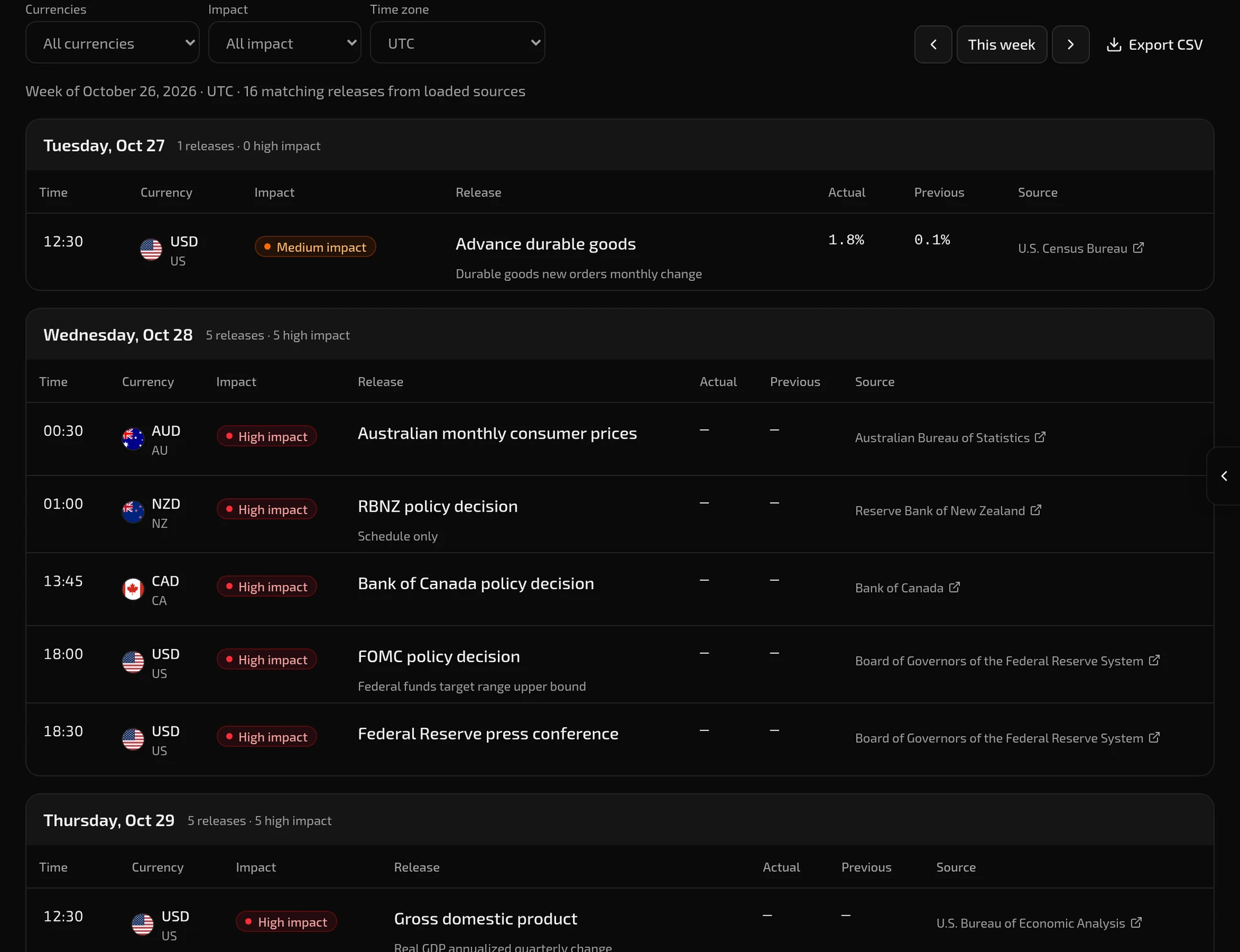
A row marked Schedule only comes from a source whose values can’t be shown in the app. The Bank of England, Bank of Japan, Swiss National Bank and Reserve Bank of New Zealand decisions are listed this way. Open the source to read them.
Some sources give a release’s date but not its time, such as the Bank of Japan’s decisions and Germany’s preliminary consumer prices. Their rows say Time not announced, with the source’s time zone underneath.
An empty week doesn’t mean nothing is scheduled. Sources and coverage, at the bottom of the tab, lists each agency, when its schedule was last checked, and any notice it requires.
Open a release
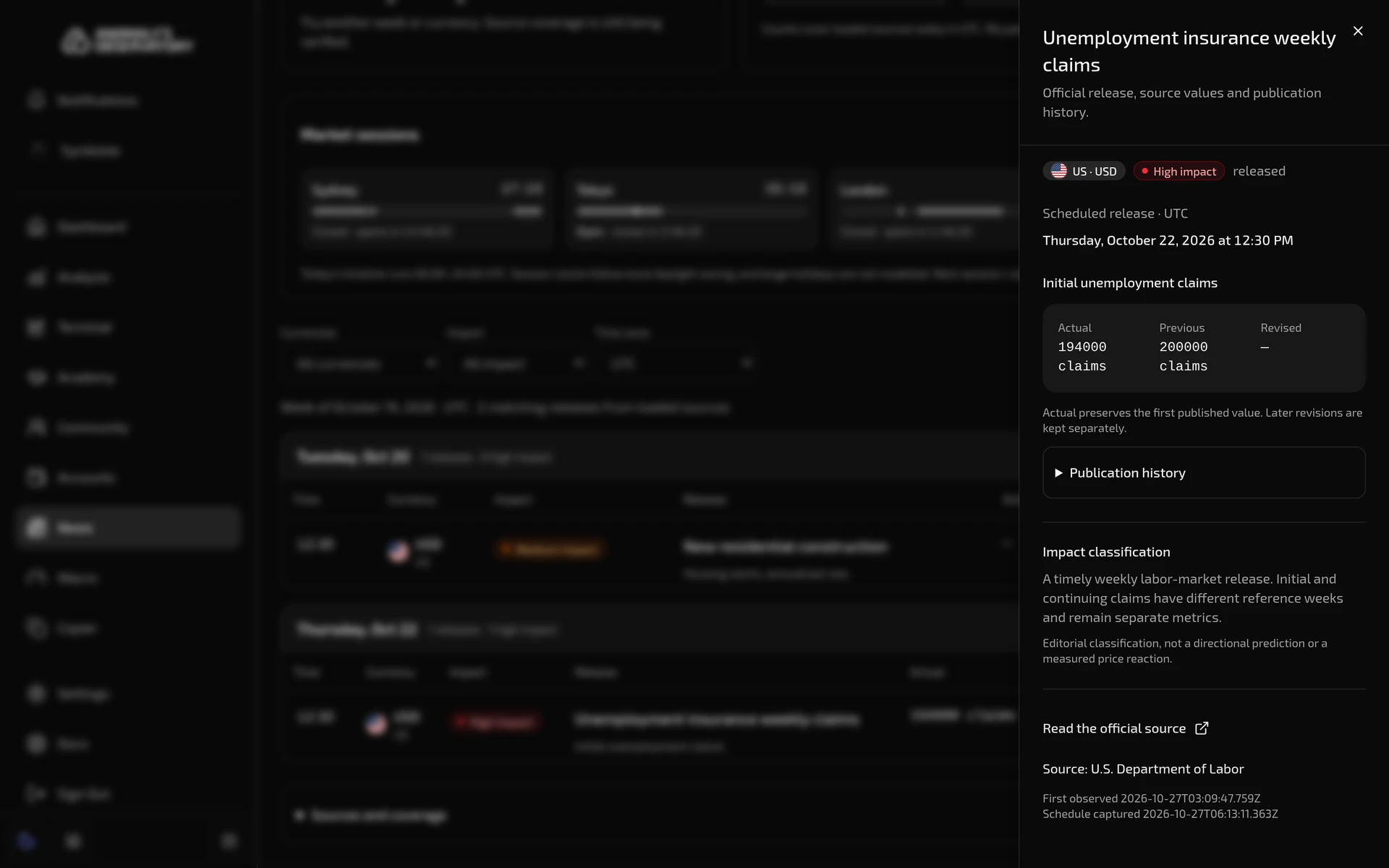
Click a release’s name to open it in a panel on the right:
- the country, currency and impact, and whether it’s scheduled or released
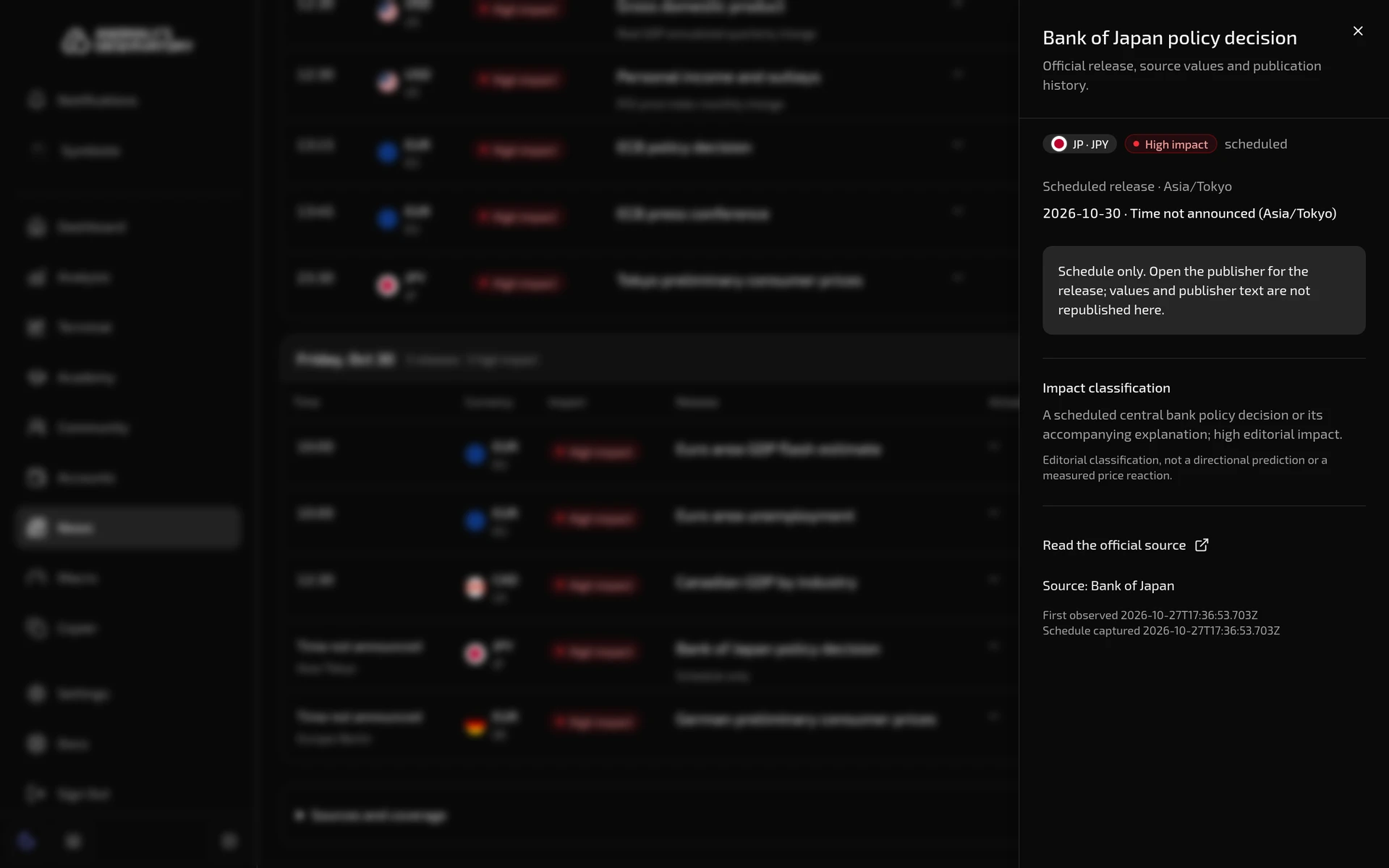
- the scheduled date and time in the calendar’s time zone, and a countdown until then. When the time isn’t announced, you see the date in the source’s time zone instead, with no countdown.
- Actual, Previous and Revised. Actual keeps the first value the agency published. Later revisions show under Revised, with their source.
- Publication history, every value the release has published and when
- Impact classification, why the release has its impact level
- Read the official source, which opens the agency’s page in a new tab
A Schedule only release has no values in its panel. It says so, and Read the official source takes you to the bank or agency.
Press Esc or click the cross to close it.
Official publications
The News tab lists publications from the same agencies, newest first. Each card shows the agency, the currencies it concerns, the title, when it was published, a short excerpt and Read at source.
- Filter by currency with All currencies, or by agency with All agencies.
- Click a title to read the publication in a panel, where the source allows it to be shown in full.
- Load more publications at the bottom loads older ones.
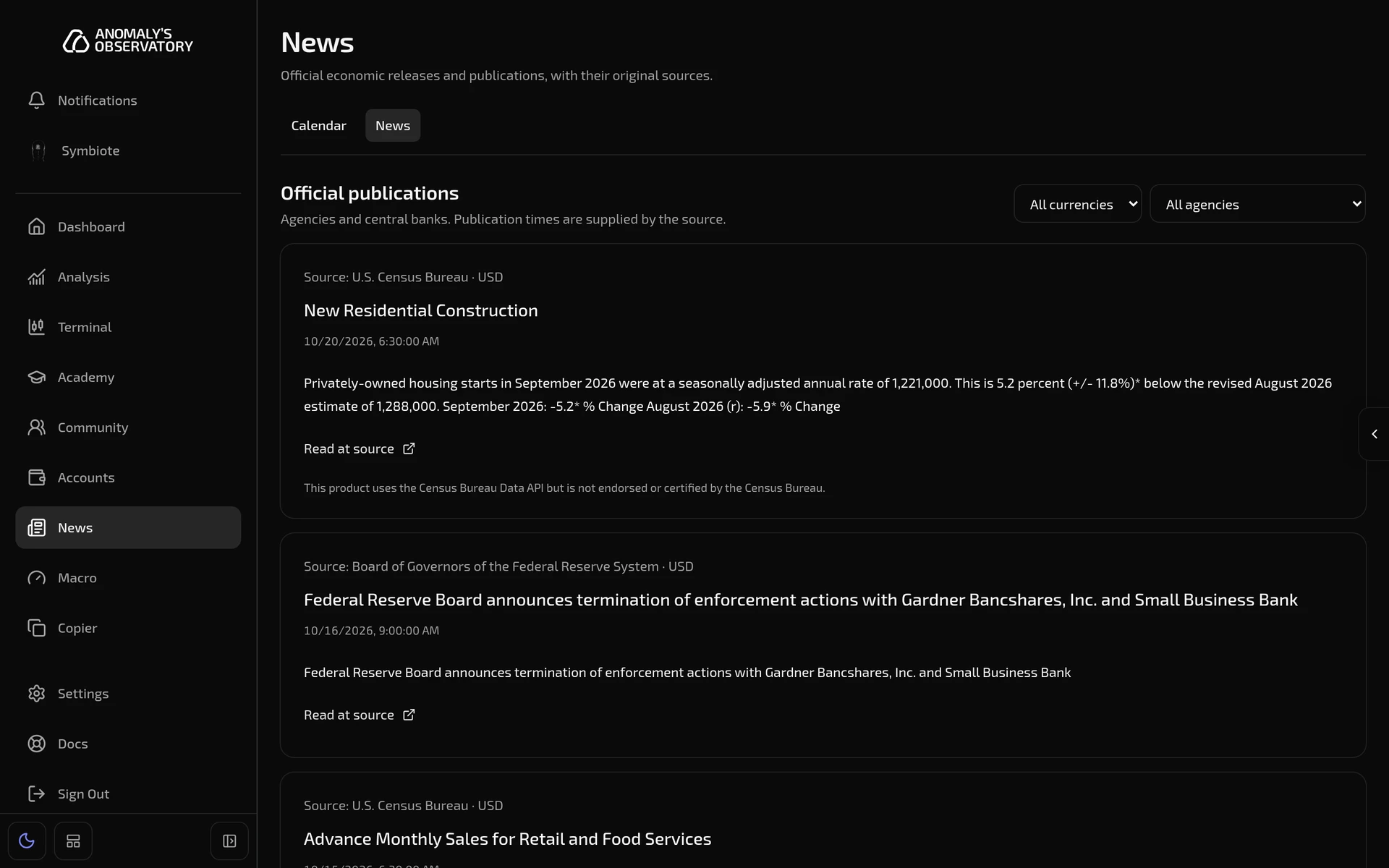
Publication times are the ones the source supplied.
Releases on your charts
The terminal can mark releases on the chart’s time axis. This works even if News is hidden from your sidebar.
-
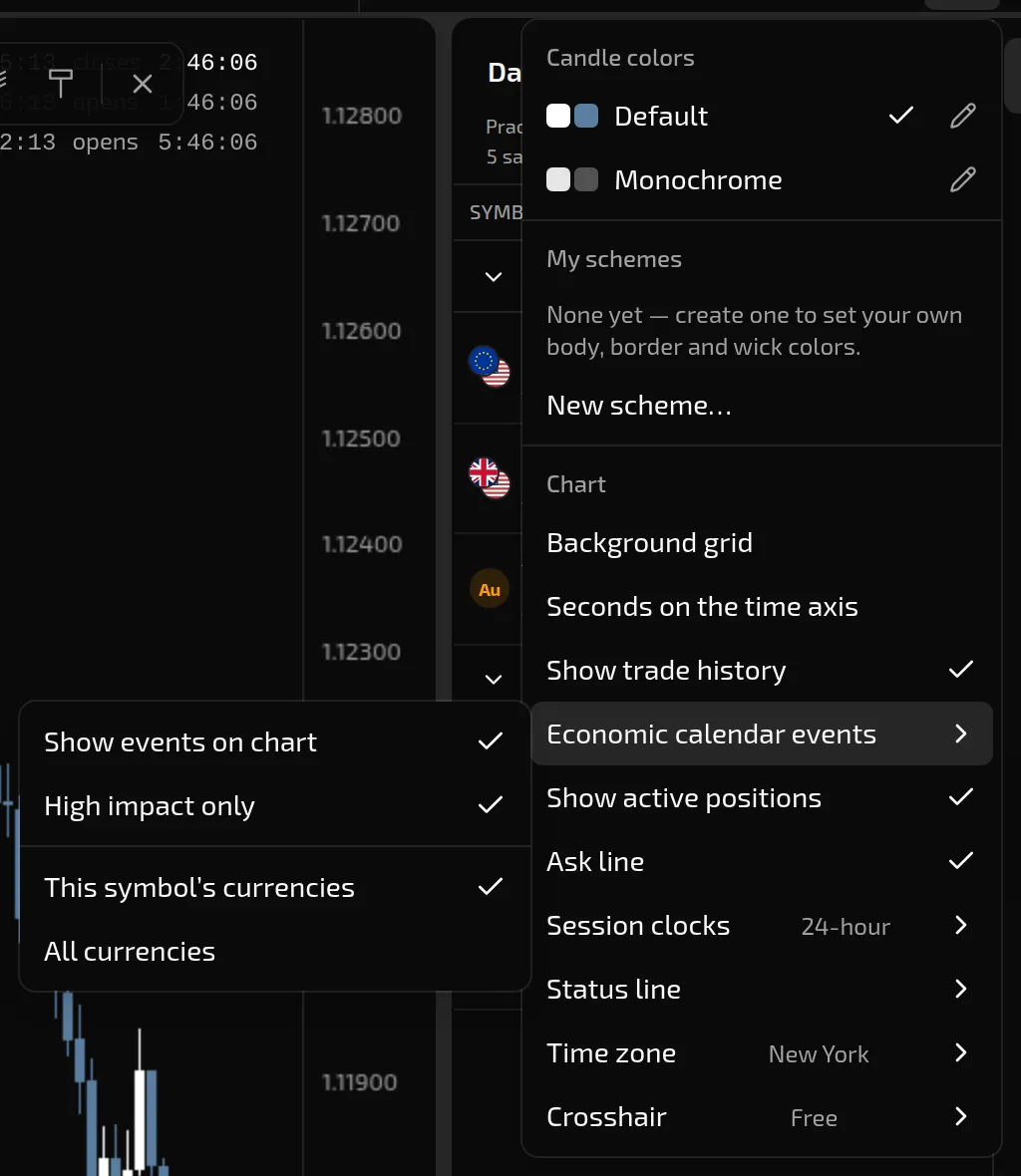
On the terminal, open Chart settings and point to Economic calendar events.
-
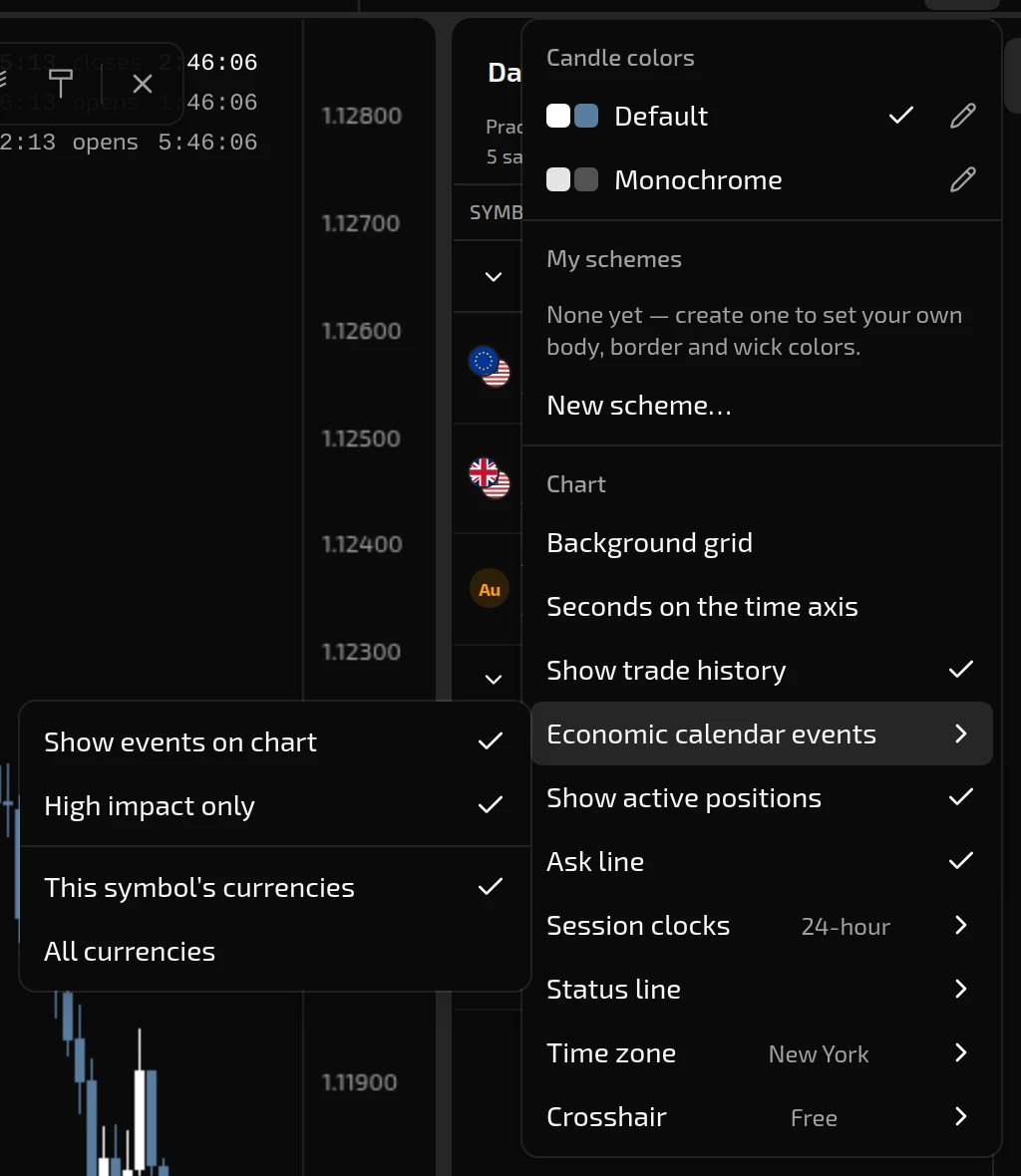
Turn on Show events on chart.
-
Choose which releases to show. High impact only is on to begin with. This symbol’s currencies shows releases for the currencies in the chart’s symbol, and All currencies shows them all.
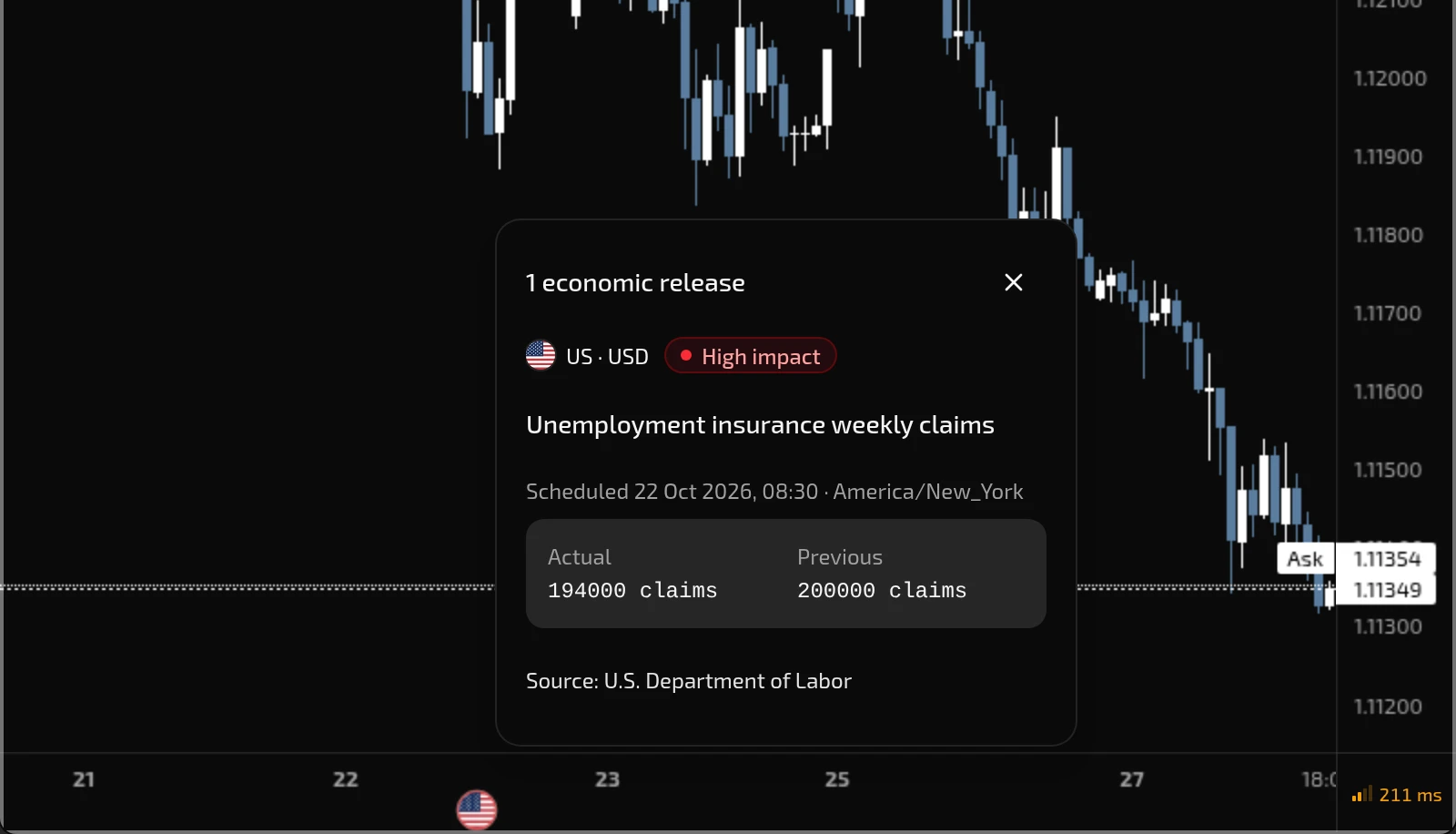
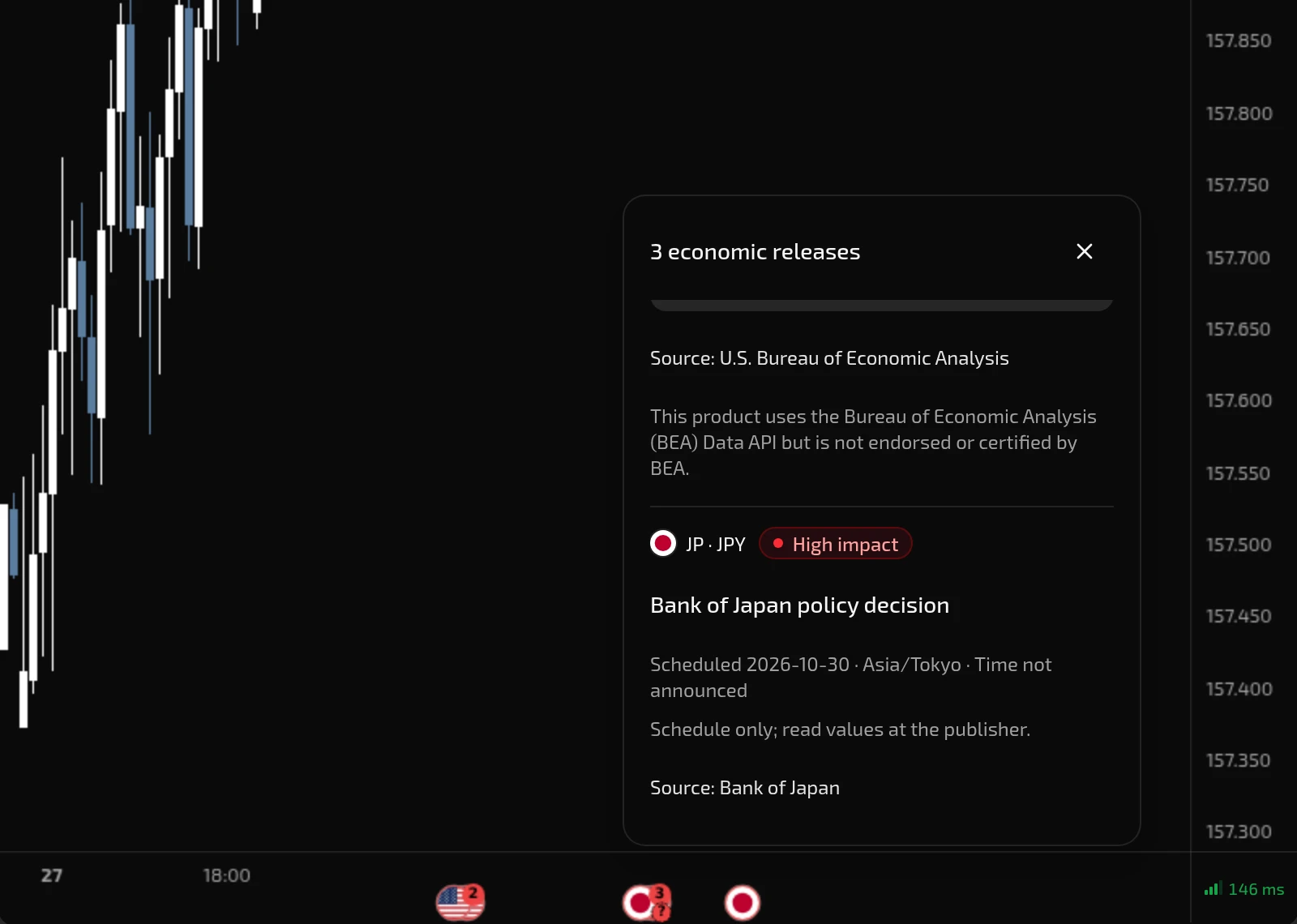
Each release gets a flag on the time axis under the bar it falls in. Releases in the same bar share a flag, and flags that would overlap on screen merge into one. A flag that holds more than one release shows how many. Zoom in to pull nearby flags apart.
A release with no announced time sits at the start of its day in the source’s time zone, and its flag carries a ?.
- Point to a flag to see its releases: impact, scheduled time, Actual and Previous, and the source. Click the flag to keep the card open, and click a release’s name for the full release panel.
- Times follow the chart’s Time zone setting. See Chart settings.
Flags are hidden during bar replay. These settings are saved in this browser.